
The success of any Scan to BIM Project depends on one foundational step that most teams underestimate accurate data registration and alignment. Before a single wall, column, or MEP element is modeled in Revit, the raw point cloud data captured by a 3D laser scanner must be precisely assembled into a single, unified coordinate space. When this step is done right, everything downstream modeling, clash detection, and coordination runs smoothly. When it is done wrong, errors compound at every stage of the workflow.
What Is Point Cloud Registration?
When a laser scanner captures a building or site, it produces a dense collection of data points sometimes hundreds of millions that represent the surfaces of physical objects. A single scanner setup captures data from one fixed position. Since most projects require multiple scan positions to cover an entire floor, building, or site, the individual scans must be merged into one coherent dataset. This merging process is called Point Set Registration.
Registration aligns each individual scan to the others, correcting for differences in scanner position, angle, and orientation. The result is a single, continuous 3D point cloud that accurately represents the real-world geometry of the scanned environment. Poor registration produces misaligned scans what professionals call “ghosting”. where walls appear doubled, edges blur, and dimensions become unreliable.
In the U.S. construction industry, where projects like hospital renovations, data center upgrades, and industrial facility retrofits carry tight tolerances, registration accuracy is not optional. The accuracy of downstream deliverables whether for Revit-based BIM models, coordination drawings, or clash reports flows directly from the quality of the registration.
Target-Based vs. Targetless Registration: Choosing the Right Method
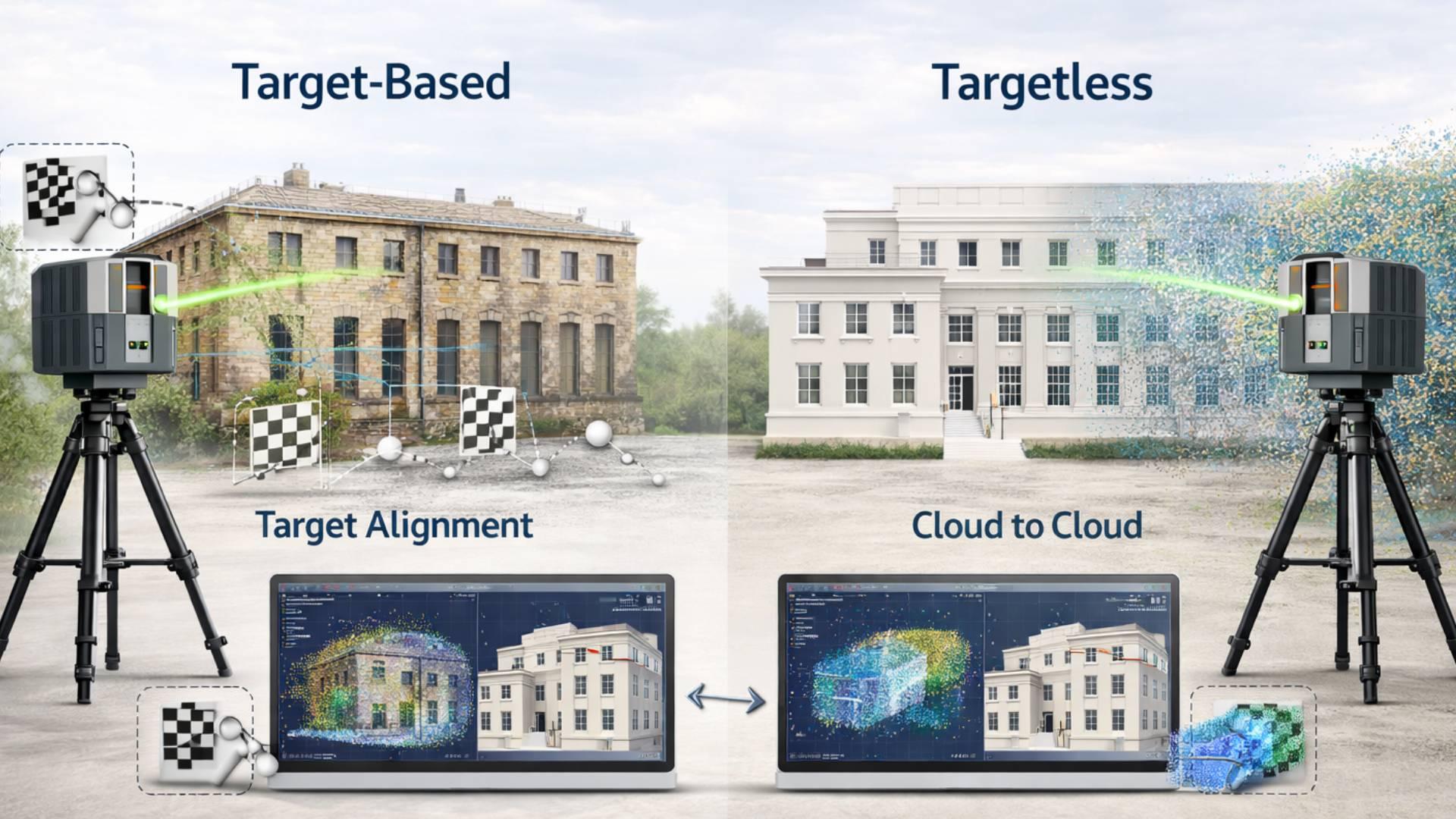
There are two primary approaches to registering point cloud scans target-based registration and targetless (or cloud-to-cloud) registration. Each has its place in a professional Laser Scan to BIM Services workflow, and experienced teams know when to use each.
Target-Based Registration
Target-based registration uses physical reference markers typically flat checkerboard targets, spherical targets, or reflective discs placed at known positions around the scan area before scanning begins. The scanner captures these targets in each scan, and the registration software uses the known geometry of the targets to align the scans together.
This method offers high precision and is particularly effective in:
- Complex indoor environments with many enclosed spaces
- Projects requiring survey-grade accuracy (tolerances of ±3mm to ±6mm)
- Conditions with limited visual overlap between adjacent scans
- Multi-floor buildings where vertical alignment is critical
The limitation is setup time. Placing, surveying, and managing targets adds hours to fieldwork on large projects. However, for renovation work in occupied facilities such as hospitals or schools where site access is limited, the precision return on that investment is well worth it.
Targetless (Cloud-to-Cloud) Registration
Targetless registration uses the point cloud data itself to find alignment. Software identifies overlapping geometric features a corner, a wall face, a column between adjacent scans and calculates the best-fit transformation. Advanced tools such as Autodesk ReCap Pro and Leica Cyclone REGISTER 360 use automated algorithms to perform this alignment with minimal manual input.
This approach is well-suited to:
- Open floor plans, warehouses, or large mechanical rooms with abundant geometric features
- Projects with high scan overlap (30–40% or more between positions)
- Rapid-turnaround workflows where field time is limited
- Sites with complex curved surfaces where targets are hard to place
The trade-off is accuracy variability. Without physical targets, small alignment errors can accumulate across long chains of scans a problem called “drift.” On large-footprint projects, this drift must be controlled through careful scan planning and loop closures.
Hybrid Registration: The Industry Best Practice
Most professional teams working on Scan to BIM projects in the U.S. use a hybrid approach: a sparse network of control targets anchors the dataset to real-world coordinates, while cloud-to-cloud alignment fills in the detail between those anchors. This combines the accuracy of target-based methods with the speed of automated registration the practical sweet spot for commercial construction projects.
Georeferencing and Coordinate System Alignment
Registration aligns scans to each other. Georeferencing aligns the entire dataset to a real-world coordinate system typically a project survey benchmark or a state plane coordinate system used on U.S. construction projects.
This step is essential when point cloud data needs to integrate with:
- Existing civil survey data or topographic models
- Site plans and as-built drawings in AutoCAD or Revit
- GIS platforms used by owners and facility managers
- Multiple scans across different site visits or phases
Georeferencing is performed by tying at least two scan control points to known survey coordinates either GPS-derived or established by a licensed land surveyor. Once the dataset is georeferenced, the Revit model built from it can share the same coordinate origin as all other project documents, which is critical for multi-discipline BIM Coordination Services where architects, structural engineers, and MEP contractors must work from a common reference frame.
According to the National Institute of Building Sciences, alignment errors between disciplines are among the most common contributors to coordination failures on U.S. construction projects a problem that proper georeferencing directly addresses.
Quality Control: Validating Registration Accuracy
Registration is not complete until it has been validated. QC in point cloud registration involves several checks that any professional delivering Laser Scan to BIM Services should perform before handing off data to the modeling team.
Bundle Adjustment and Error Reporting
Professional registration software computes a bundle adjustment a mathematical optimization that minimizes the total alignment error across all scan positions simultaneously. The output is an error report showing the mean absolute error (MAE) or root mean square error (RMSE) for each target or overlap region.
For U.S. construction projects, typical accuracy benchmarks are:
- Architectural documentation: ±6mm (¼ inch) or better
- MEP as-built documentation: ±3mm (⅛ inch) or better
- Structural assessment: ±3–6mm depending on the application
Any scan position with registration error above the project tolerance should be re-scanned or reprocessed before the dataset is used for BIM modeling.
Visual Inspection in Registration Software
Beyond numerical error reports, QC also requires visual review. Technicians examine the merged point cloud in orthographic and perspective views, looking for ghost edges, misaligned planes, and seams between scan positions. Many teams also generate cross-section slices horizontal and vertical cuts through the point cloud to check alignment at specific elevations.
Scan-to-Model Back-Check
A final QC step involves checking the completed Revit model against the original point cloud. Modeling teams use Revit’s point cloud integration to verify that modeled elements fall within the acceptable tolerance of the scan data. This back-check catches both registration drift and modeling errors before drawings are issued a step that directly reduces downstream costs in Clash Detection Services and coordination reviews.
How Registration Quality Impacts BIM Coordination and Clash Detection?
The connection between registration quality and project outcomes is direct and measurable. Consider a typical MEP coordination workflow on a commercial renovation project in the U.S.:
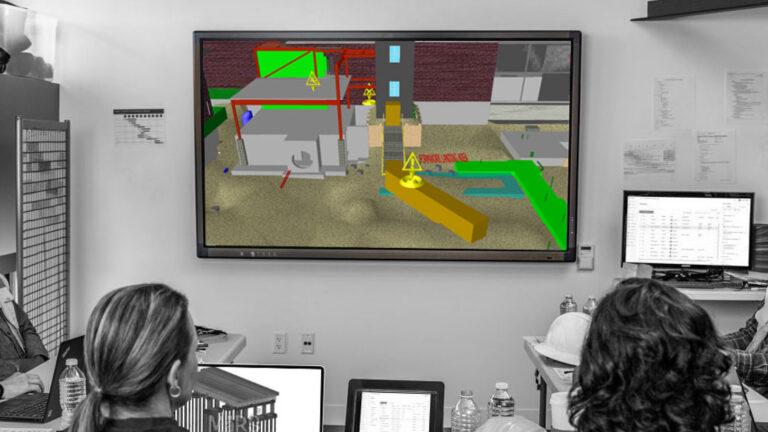
The point cloud is registered and imported into Revit. MEP engineers model new ductwork, piping, and conduit runs over the as-built conditions captured in the scan. A BIM coordination manager then runs a Navisworks clash detection analysis between the new MEP model, the existing structure, and the existing MEP systems.
If the registration has a 15mm error in a congested mechanical room, new ductwork that appears to have 25mm of clearance in the model may actually have only 10mm or may physically interfere in the field. In a Clash Detection Services workflow, this becomes a false negative: a real clash that the model failed to catch.
Conversely, misaligned point cloud data also generates false positives phantom clashes between elements that are not actually in conflict. These waste coordination time, delay RFI resolution, and erode trust between project stakeholders.
Professional teams delivering BIM Coordination Services on complex U.S. projects hospital additions, data center builds, industrial retrofits treat registration quality as a prerequisite for reliable clash detection, not an afterthought.
Software Tools for Point Cloud Registration in Scan to BIM Workflows
A range of professional software tools supports point cloud registration. The most widely used in the U.S. AEC market include:
- Autodesk ReCap Pro: The most common platform for importing, registering, and managing point clouds for Revit workflows. Supports both target-based and cloud-to-cloud registration and outputs the RCP/RCS format directly compatible with Revit.
- Leica Cyclone REGISTER 360: Industry-standard for projects using Leica scanners. Offers automated registration, detailed error reporting, and direct export to multiple formats.
- FARO SCENE: Optimized for FARO laser scanners. Provides automated target detection, cloud-to-cloud registration, and quality reporting.
- Trimble RealWorks: Used with Trimble scanners, particularly strong for survey-grade registration and large civil/industrial projects.
- Bentley ContextCapture / iTwin Capture: Increasingly used on large infrastructure and campus projects where BIM integration with infrastructure data is required.
Regardless of platform, the registration workflow follows the same logic: import raw scans, establish overlap and target relationships, run the alignment algorithm, review error reports, validate visually, and export the final registered point cloud for BIM modeling.
Best Practices for Scan Planning That Supports Accurate Registration
Registration quality starts in the field, not the office. The single biggest factor in registration accuracy is scan planning the decisions made about scanner placement, scan density, and target strategy before a single scan is taken.
Key scan planning best practices for U.S. construction projects include:
- Minimum 30% scan overlap: Adjacent scan positions should share at least 30% of their field of view to give the registration algorithm enough common geometry to work with.
- Three-point target visibility: Each target should be visible from at least three adjacent scan positions to allow strong geometric constraint in the registration.
- Avoid co-planar target placement: Targets placed on the same flat surface reduce constraint geometry. Distribute targets at different heights and orientations.
- Plan for loop closures: On large projects, plan the scan sequence so it forms a closed loop returning to the starting position. This prevents drift accumulation.
- Document scanner positions: Record GPS coordinates or measured distances for each scan position. This documentation supports georeferencing and troubleshooting if registration errors appear in QA.
These practices are standard for any team delivering professional Laser Scan to BIM Services on commercial or industrial projects, and they translate directly into faster registration processing, lower error rates, and more reliable BIM deliverables.
Conclusion
Data registration and alignment is the technical backbone of every Scan to BIM workflow. It determines the accuracy of the point cloud dataset, the reliability of the BIM model, and the validity of every clash detection report and coordination drawing produced downstream.
For AEC professionals and owners working on U.S. construction projects from building renovations to industrial expansions investing in proper registration methodology is not a cost item. It is a risk management decision. Errors caught during registration cost minutes. Errors that survive registration and make it into BIM Coordination Services or field construction can cost days, change orders, and significant rework.
As the adoption of Laser Scan to BIM Services continues to grow across the U.S. market, teams that understand and apply rigorous registration and alignment practices will consistently deliver more accurate models, more reliable clash detection, and more successful project outcomes.